How to Show Your Trade-Locked CS2 Skins
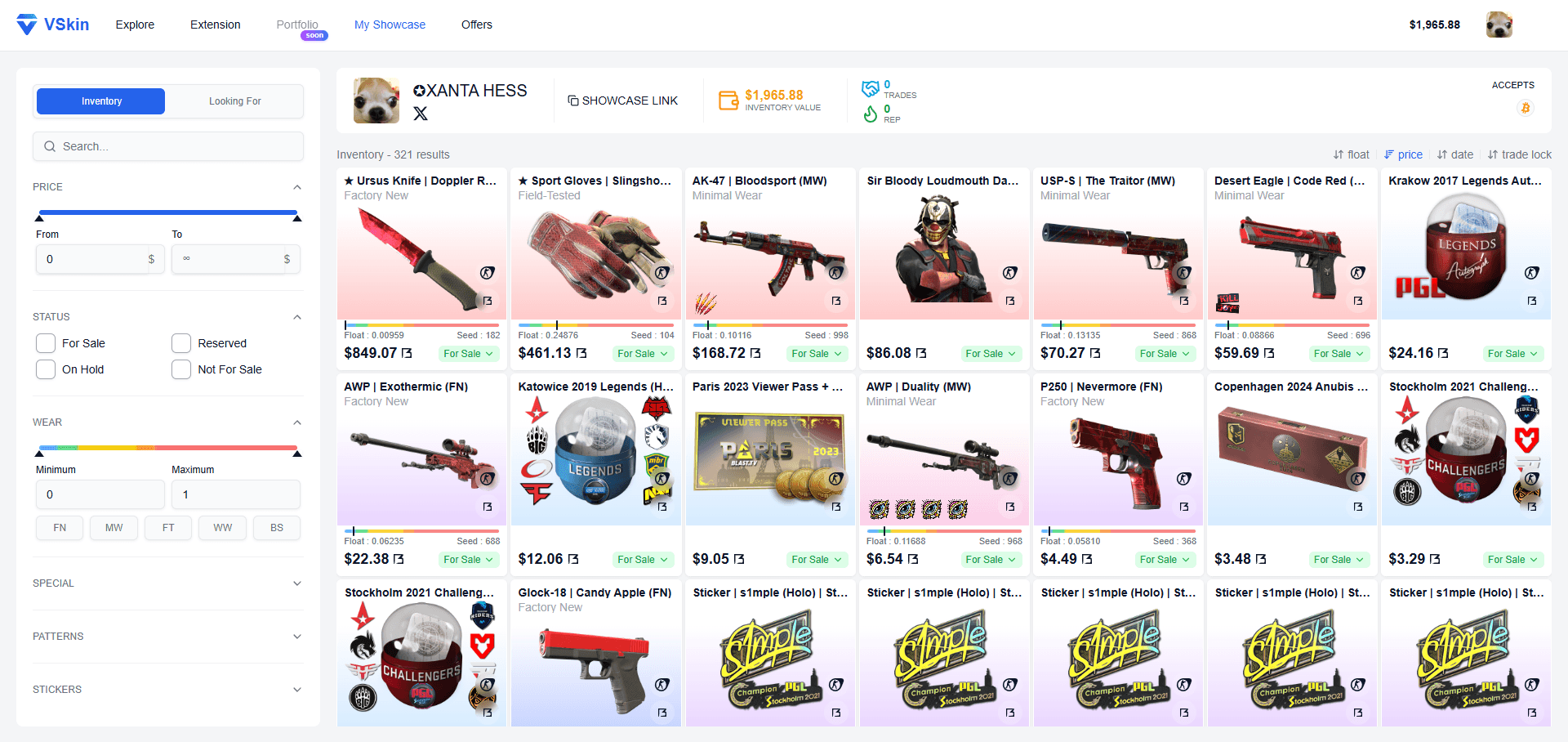
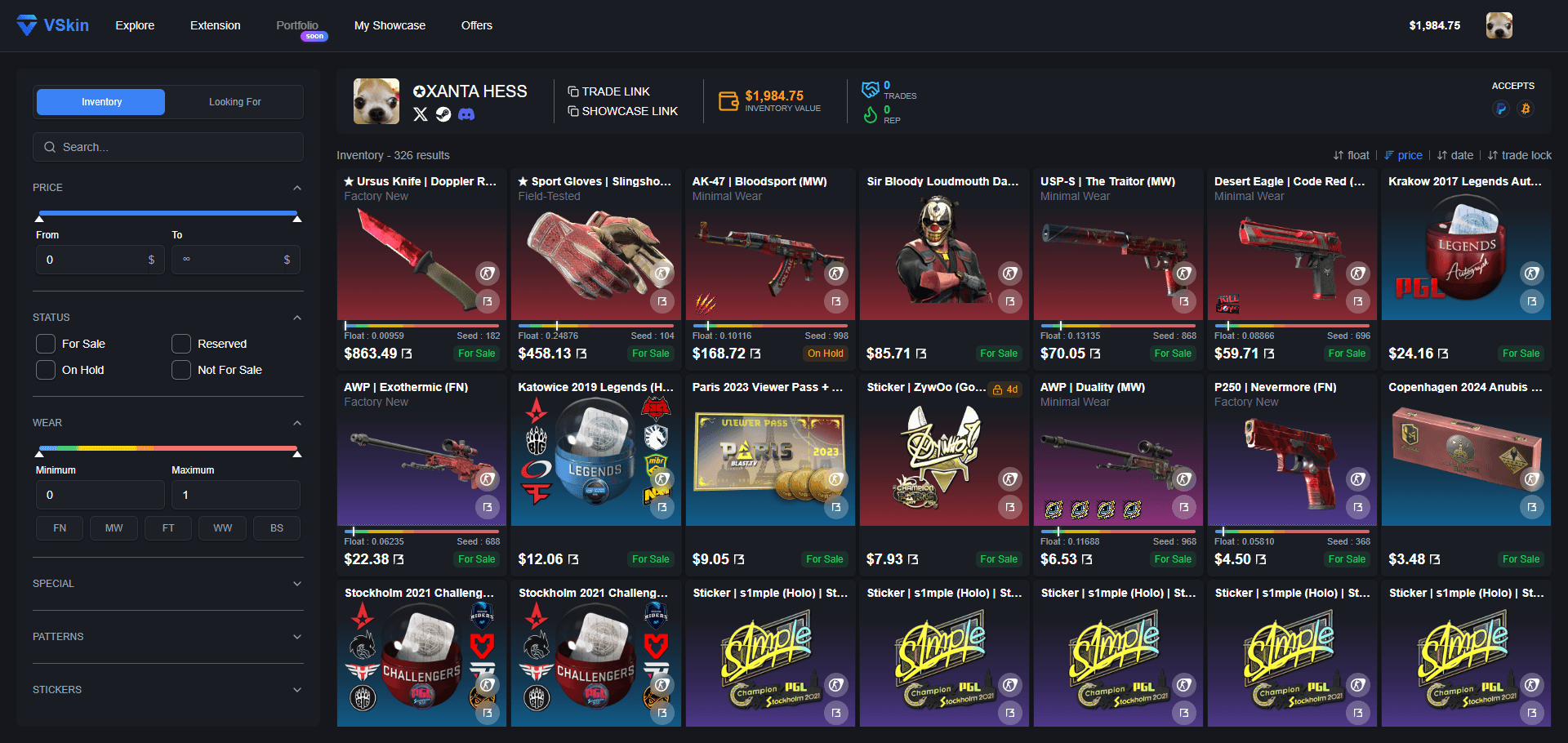
A CS2 skin you just traded for is hidden from everyone looking at your inventory until it unlocks, so buyers and friends cannot see it. VSkin can show it anyway: install the VSkin extension, sign in through Steam, and your full inventory, trade-locked items included, syncs to a public showcase page you can share.
Why can other people not see your trade-locked skins?
A freshly traded skin does not show up for anyone else looking at your inventory. You can equip it and use it in a match, yet it is absent from the public Steam profile it belongs to. For traders that is a real problem: you cannot show a buyer the skin you plan to sell, because it appears nowhere they can look. The trade lock explained covers how long it lasts and why it works that way.
Nothing in your Steam privacy settings changes it. A fully public inventory still keeps these items out of view, because it is a security behaviour rather than a visibility toggle. Only you can close the gap, by publishing the inventory from your own side.
How VSkin shows them
VSkin reads your inventory from your own signed-in Steam session, through a browser extension, and publishes it as a public showcase page. Trade-locked skins are included, because your own session is the only place they are visible. Anyone you send the link to opens it in a browser with nothing installed.
Each skin on the page carries its real float and pattern seed, its stickers and its charm, and most weapons, knives and gloves open in an interactive 3D render at that exact wear and pattern. A locked skin nobody could inspect in-game is fully viewable there.
Is it safe to display your inventory this way?
Signing in uses Steam OpenID, the flow hosted by Steam itself, which only confirms your SteamID. You never type your Steam password on VSkin, and no trade permission is ever requested. Your items, your wallet and your trades stay on Steam, between you and the other player.
No Steam Web API key is involved at any point, which matters because handing that key to a site is one of the most common ways traders lose skins. Why the API key is the risky part explains the mechanism. The extension is open-source, so anyone can audit exactly what it reads, and syncing your skins is the only thing it does.
How to show your trade-locked CS2 skins with VSkin
- 1
Install the VSkin extension
Add the VSkin extension from the Chrome Web Store. It runs in Chrome and other compatible browsers. Syncing your inventory to your showcase is the only thing it does.
- 2
Sign in through Steam
Open vskin.gg and sign in with Steam. The sign-in uses Steam OpenID and only confirms your SteamID: no password typed on VSkin, no API key, no trade permission.
- 3
Let your inventory sync
With the extension installed, your inventory syncs when you arrive on vskin.gg. You can also trigger a sync yourself at any time from the extension popup.
- 4
Share your public showcase
Your showcase page now displays your full inventory, trade-locked skins included. Share the link with buyers, friends or your community; they need nothing installed to open it.
Frequently asked questions
Can I show trade-locked skins without a Steam API key?
Yes. VSkin signs you in with Steam OpenID and reads your inventory through a browser extension from your own signed-in Steam session, so you never have to generate or share a Steam Web API key.
Do buyers need the extension to see my trade-locked skins?
No. Only the owner needs the extension, and only to publish and sync their own showcase. Anyone can then open the public showcase page, including the trade-locked items, with nothing installed.
How long are CS2 skins trade-locked?
Items received in a trade are protected for about a week. Steam documents seven days, counted from the exact moment each item enters your inventory, and Valve can change the rules, so check the unlock date shown on the item. During that time you can use them in-game but cannot trade, sell, transfer, or modify them.
Does the VSkin extension do anything besides sync my skins?
No. Syncing your inventory is its only function. It never initiates, signs, cancels or redirects trades, it does not run on other websites, and it never asks for a Steam Web API key or any trade permission. It is open-source, so you can check that before installing.
Show your own CS2 inventory on VSkin
Sync your inventory with the VSkin extension to publish a public showcase, trade-locked skins included, and share one link with the traders you deal with.
Publish your showcase →